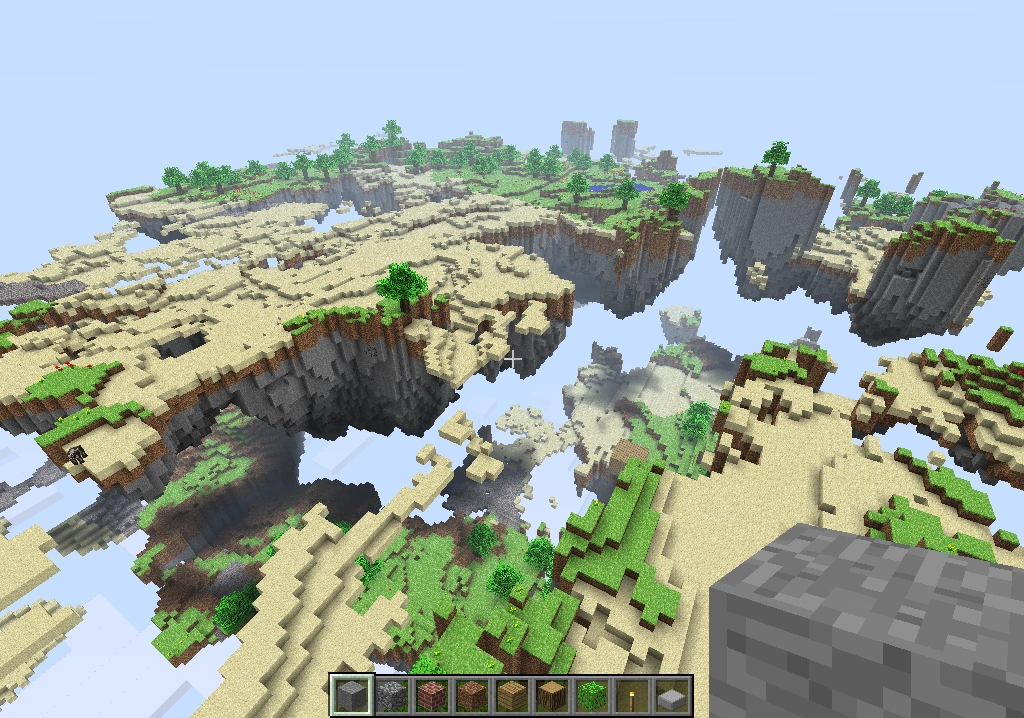
- Artículo principal: Mods/Apis
Modificaciones
| Los contenidos de esta página no tienen soporte por parte de Mojang, la Wiki de Minecraft, el canal IRC Minecraft o los foros de Minecraft. |
Esto artículo trata sobre game modifications. Para server moderators, véase Operator.
Mods (abreviatura de 'modificaciones) son todos los cambios del contenido del juego de Minecraft de lo que era originalmente. Los Mods son cada vez más popular y en profundidad, añadiendo experiencias y metas nuevas enteros al juego.
Contenido |
[editar] Que es un mod?
La mayoria de los mods en Minecraft adieren contenidos al juego para alterar su uso, cambia elo sentimiento creativo o da al jugador mas opciones para interactuar con el mundo Minecraft. Algunos son grandes expansiones, como el The Aether mod,que adiere una una significativa cantidad de contenido nuevo al juego,como nuevos bloques, Mobs/es, abilidades del juegador/es, y/o Objetos para crear y usar. Otros mods adieren mas configuraciones y opciones para optimizar: velocidad, graficos, o el modo de juego. Otros, como el MystCraft y Portal Gun brindan más contenidos al juego y experiencias dentro de Minecraft. Los mods de servidore o plugins pueden dar al administrador del server mas opciones para su uso, y la mayoria de los mods para single-player (un jugador) tienen una version en el server que permite o optimiza el mod en multiplayer (multijugador).
Normalmente, el creador de un mod lo actualiza cuando el juego actualiza - agregando mas contenido, arreglando bugs, o optimizarlo. O talvez, el mod no funcione con una version nueva. Algunos en la comunidad aprecian la experienca adicional y el uso que viene con los mods , mientras que otros juegan el juego original, con solo contenido original. Mientras Minecraft mods son normalmente seguros de instalar, uno puede hacer incompatibilidad con otros mods, para evitar crashes, que se borre la partida guardada o las estadisticas, la instabilidad del sistema, or infecciones potenciales de un mal link del mod mismo. una buena forma de protejer tu juego de problemas es copiar varios Archivos como la carpeta .minecraft si elijes usar mods. hay muchos mods o plugins disponibles para complementar el juego original o dar a los admins de servers mas optiones y control de sus servers.
[editar] Mods y Bugs
Si instalas un Mod, no importa lo simple que sea, puede hacer que el juego deje de funcionar correctamente. Si esto sucede, puede que no haya mucho sentido informar de fallos en el gestor de fallos, porque Mojang no se compromete a apoyar a las versiones modificadas del juego. Si se produce algún problema durante el uso de mods y desea reportarlo, retire primero todos sus mods y ver si el problema persiste. Si es así, puede ser reportado en la referencia Temas página aquí en el Minecraft wiki. De lo contrario, trate de reproducir el problema con el menor número posible de mods, y luego informar el problema al autor (s) de los mods, Mojang no va a ser capaz de ayudar.
Si Minecraft se llega a Crashear, un juego modificado marca lo siguiente en el informe del accidente: how to obtain a crash report. (Nota: Si tu Minecraft nunca se ha Crasheado en estas instrucciones no encontrara nada)
El texto de informe de fallos incluirá una línea cerca de la parte superior que va a decir, uno de estos ejemplos:
Is Modded: Probably not
Is Modded: Very likely
Is Modded: Definitely {name of custom client}
Un ejemplo de informe de accidente corto es el siguiente:
El código que comprueba Mods es bastante simple, y no siempre es correcto, ya que puede decir: "Probablemente no", incluso con los Mods instalados. Sin embargo, es muy difícil hacer llegar el mensaje "muy probable" si no se ha modificado minecraft.jar alguna manera, por lo que es esencialmente un "sí". También hay una 'duda' mensaje, se ve cuando un servidor Bukkit falla y, posiblemente, en otras condiciones similares.
Is Modded: Definitely Bob's Custom Mod
[editar] Plugin Oficial API
ElPlugin API[1] es la próxima función que permite a los modders, para agregar fácilmente más contenido al juego. A diferencia de los Mods, Plugins no requerirán la modificación de la misma minecraft.jar. Pero también será un poco limitado en su featureset.[2][3] Mojang ha revelado el Bukkit equipo que ayudará a tomar la API oficial Plugin.[4] Está previsto que Plugins serán lo más fácil posible de encontrar, instalar y descargar.[5][6][7] El plugin API no será el mismo que Bukkit. Plugins serán compatibles en multijugador.
El plugin API ha sido planeado de alguna manera ya que al menos el 5 julio de 2010, poco después de la liberación de Alpha 1.0.1_01.[8]
En Minecon 2012 Mojang compartió su visión para el futuro de la API mod. La presentación completa se puede ver aquí:
[editar] Como agregar Mods
- Artículo principal: Mods/Installing Mods
El foro ofrece una guía completa sobre cómo instalar mods. Algunos paquetes mod tienen auto-instaladores que hacen que la adición de mods para Minecraft extremadamente fácil para el Modder principiante. Si usted es un Modder avanzado sabrías que también involucra la extracción y la adición de Archivos modificados manualmente que crean una sensación diferente, o cierto tipo de juego de Minecraft.
[editar] Como crear Mods
- Artículo principal: Mods/Creating Mods
El foro tratará de ayudar en cómo crear mods, incluyendo el uso de API.
[editar] Mods Desactualizados/Anticuados
Esta es una lista de mods para la versión anterior de importante Minecraft que estaban previamente en la lista de mods, sino que se han trasladado a esta página que lista.
Mods Sólo para la versión anterior de' Minecraft debe mantenerse en esta página. Los mods para versiones anteriores a la versión anterior de importante Minecraft es poco probable que se actualiza y se consideran mods muertos. Estas modificaciones se pueden eliminar de la lista. Los mods para la versión principal actual y más tarde se debe mantener en la página principal mods.
[editar] Editor y Programas de Modding
- Artículo principal: Programs and editors/Modding
El foro da herramientas para la instalación y creación de Mods.
[editar] Client mods
TIP: Use Ctrl + F (Windows or GNU/Linux) or ⌘ Cmd + F (Mac) to find a mod you are looking for, however you must first expand the tables.
Client mods are modifications to your game Archivos themselves. They are not custom clients, and they require modification of minecraft.jar. Like high resolution textures, they only work with the launchers, and won't work if you play through a browser.
The most common form of client mods are aesthetic and/or functional (such as the iMod). However, some client mods add new content to the game (Such as the Supplycrate mod), and others fix issues with the game.
As the Minecraft server software will ignore custom content from client side, most of the client mods which add new content to the game do not work in SMP unless a modification has also been installed on the server. Some authors of client mods have made server versions of their mods available, and others have not. A few of the Loader/API type client mods (e.g. ModLoader and AudioMod) and many of the functional client mods (e.g. Optifine, Rei's Minimap and TooManyItems) have effect in SMP straight away, without any modification on server side.
[editar] Adding/editing client mods
- When adding a new mod to the list, first please check that the mod is not already listed in one of the sections on the page.
- Please put the mod in the correct section. If it adds new mobs, items, blocks or dimensions, put it in New Content. If it changes features of an existing item or adds settings, like adding a new difficulty level or making mobs drop more experience, put it in Aesthetic and Functional Mods. If it fixes a bug in "vanilla" Minecraft, put it in Fixes.
- Please keep the mods in alphabetical order. It's much harder to find older, established mods when they are buried beneath the mods that have been thrown on top of them.
- Do not place unreleased mods, especially if they have a message in the download link such as "This mod will be released soon". Also, do not place download links. It only adds to the frustration of potential spam, plus, if there are no pictures, people are less likely to download the mod.
Thank you for following these simple rules.
Note: The guide below works for the "New Content" and "Aesthetic and Functional Mods" sections.
Before adding mods, you must understand the code used. For this example, we will use Single Player Commands.
{{/entry
| name = Single Player Commands
| description = Single Player Commands is a mod that adds commands to your single player worlds.
| version = 4.3
| forum = http://www.minecraftforum.net/topic/94310-125-single-player-commands-v322-official-download/
| minecraft version = 1.4.5
| api = no
| author = simo_415
| smp = no
}}
The first line, {{/entry, indicates that the Mods/entry template is being used; the final }} ends the template.
The next line, | name = Single Player Commands, is self-explanatory.
The third line, | description = Single Player Commands is a mod that adds commands to your single player worlds, is a brief description of the mod. Don't make this too long, perhaps copy and paste the first few lines of the description of the mod.
| version = 3.2.2 is the latest version number. Usually this is in the thread header or in the body of the thread. If the version is not specified, use the latest release version as the version number (e.g. if the mod is compatible latest version of Minecraft (1.4.6) and the thread doesn't specify the version, use 1.4.6 in place of the version number).
| forum = http://www.minecraftforum.net/topic/94310-125-single-player-commands-v322-official-download/ is the address of the mod's forum thread. A similar line, starting with | website =, can also be used if the mod has a website as well. (This should not be used for a direct download link.)
| minecraft version = 1.2.5 is the latest compatible version of Minecraft.
| api = no indicates that no modding API (such as ModLoader) is required. (If it is needed, | api = {{tc|yes|ModLoader}} should be used.)
| author = simo_415 is the Mod creator/author.
| smp = no is whether the mod is SMP compatible or not. Valid inputs are those accepted by {{tc}}. To change the display text, include the template manually: | smp = {{tc|yes|Yes (requires etc.)}}
If you are updating a mod, all you have to edit is the website address and the version number.
Tip: If this guide is still confusing, copy and paste a mod's code and edit it accordingly.
Please note that if you're looking for a mod for the latest Minecraft version, the author may have forgotten to update the version number on this page. It will usually have the right version on the Minecraft forum thread.
[editar] Server mods
Server mods are modifications to the official Minecraft server software.
Server mods are commonly designed to make administration of servers easier by implementing tiered privileges for commands (such as kicking, banning etc.). They are frequently implemented as "wrappers" which do not actually modify the main server .jar Archivo, instead monitoring its output and sending commands to it.
The list below only includes stand-alone server mods, and does not contain server mods, which are required to be installed server side for specific client mods to work in SMP. These mods are listed above under Client Mods.
For a list of out-of-date server mods, see here.
| Server Modifications | ||||
|---|---|---|---|---|
| Name | Description | Version | Link | Latest Release |
| CanaryMod |
Administration plugin based on hMod. (hMod v2)
|
Canary B10.2 | Homepage Forums |
1.2.5 |
| Bukkit |
A popular mod API with its own server software.
|
1.4.6-R0.1 | Homepage Forum |
1.4.6 |
| LoginMessage | Adds login message (similar to motd) to the vanilla server. Allows for cave mapping and entities radar in Rei's MiniMap to work in SMP on non-Bukkit server. | v0.4 | Forum | 1.4.5 |
| Runecraft |
Adds magic to minecraft by using runes that can manipulate the world. (Bukkit Only)
|
2.13 | Forum | 1.4.2 |
| Spout |
Spout is a fork of the Glowstone Project
|
Build 1833 stable | Homepage Forum |
1.3.2 |
| Mcportcentral |
Modified Server combining forge with Bukkit allowing you to play mods and bukkit plugins on the same server.
|
Build for Minecraft 1.4.2 | Ported Mods for 1.4.2 | 1.4.2 |
| Z5Craft |
Z5Craft is a plugin system for Minecraft, like Bukkit. Z5Craft has a few things about it that are different from other server mods.
|
Alpha 0.2.0 | Homepage Forums |
1.8.1 |
[editar] See also
- Creating Mods, a tutorial on how to create mods
- Cheating and exploits
[editar] References
{{about|future updates fo
|
|||||||||||||||||||||||||||||||||
Error en la cita: Existen etiquetas <ref>, pero no se encontró una etiqueta <references />